
Modify details
This functionality allows you to update account details including Ultimate Beneficial Owner UBO information in bulk by uploading a CSV file. It is intended to update existing customer details on Virtual Accounts.
The update is processed in bulk and applies only to Virtual Accounts that already have UBO information assigned.
Before you start
Ensure that you have been assigned the ‘Order and update virtual accounts’ permission. You can initiate a virtual account update from the Virtual accounts section.
Before uploading a CSV file, ensure that all the following conditions are met:
- The Virtual Accounts being updated have a status of Active
- The Virtual Accounts already have customer details assigned
- If you need to add UBO information for the first time, use the Add information functionality instead
- Each change includes a modification reason code
If these conditions are not met, the upload will fail, or the changes will not be applied.
.csv text example:
Header:

VirtualAccountNumber,ReasonCode,Name,Address_Department,Address_SubDepartment,Address_StreetName,
Address_BuildingNumber,Address_BuildingName,Address_Floor,Address_PostBox,Address_Room,
Address_PostCode,Address_TownName,Address_TownLocationName,Address_DistrictName,Address_CountrySubDivision,
Address_Country,UltimateBeneficialOwner1_FirstName,UltimateBeneficialOwner1_LastName,
UltimateBeneficialOwner2_FirstName,UltimateBeneficialOwner2_LastName,UltimateBeneficialOwner3_FirstName,
UltimateBeneficialOwner3_LastName,UltimateBeneficialOwner4_FirstName,UltimateBeneficialOwner4_LastName,
UltimateBeneficialOwner5_FirstName,UltimateBeneficialOwner5_LastName

Body:

0040088327,E03,null,1346 Department,HQ,Main Street 45B,45B,Tower,2,PO123 ,A201,2100,Copenhagen ,null,Osterbro,CapitalRegion,DK,null,null,null,null,null,null,null,null,null,null
Modification limits
You can perform up to two modifications per calendar year for each Virtual Account. Each individual field change counts as one modification. This applies to:
- Name
- Address
- Ultimate Beneficial owners
For example, if you change both the name and the address in a single upload, this counts as two modifications. In this case, no further UBO changes will be allowed for that Virtual Account within the same year.
Modification reason codes
Every modification must include one of the following reason codes:
| Code | Description |
|---|---|
| E01 | Change of the trading name |
| E02 | Name change due to marriage status change or legal change |
| E03 | Change of the business address |
| E04 | Change of the ownership or contract person for regulatory reporting |
| E05 | Change of the individual address |
Updating UBO information steps
- Go to the Virtual Account section, click Edit customer details.
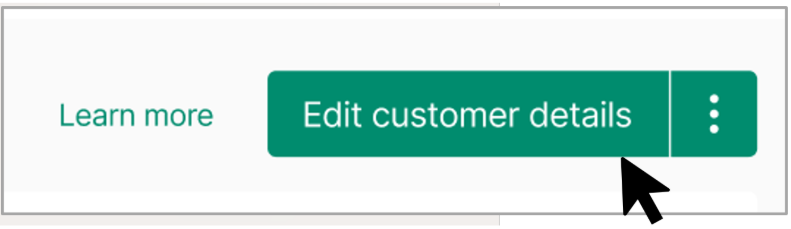
- This opens the Edit customer details panel.
- Select Edit information.
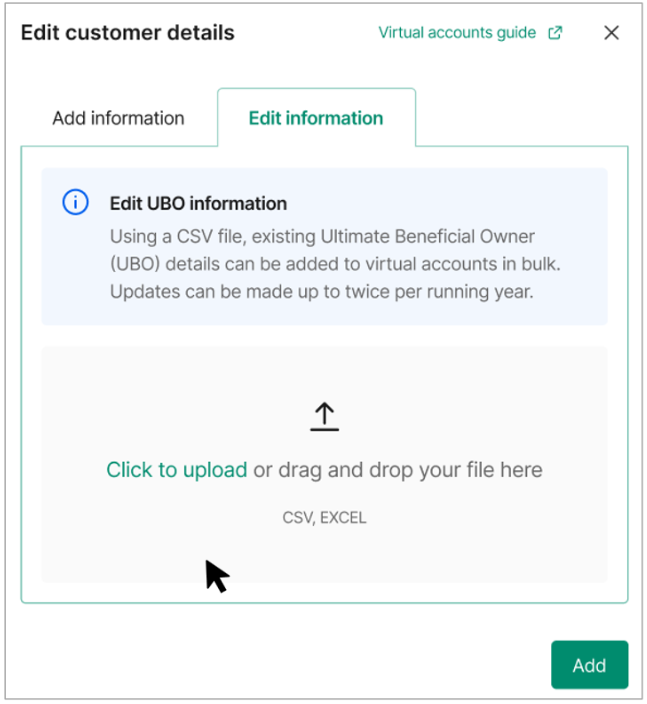
- Click to upload or drag and drop your CSV or Excel file into the upload area.
- The file must follow the required format and include all mandatory headers and fields.
- Take the Virtual Account and Company numbers you want to modify customer details information for and add the details you want to modify to your .csv file. In case you use Excel for file editing you should be aware of possible auto-formatting of content.
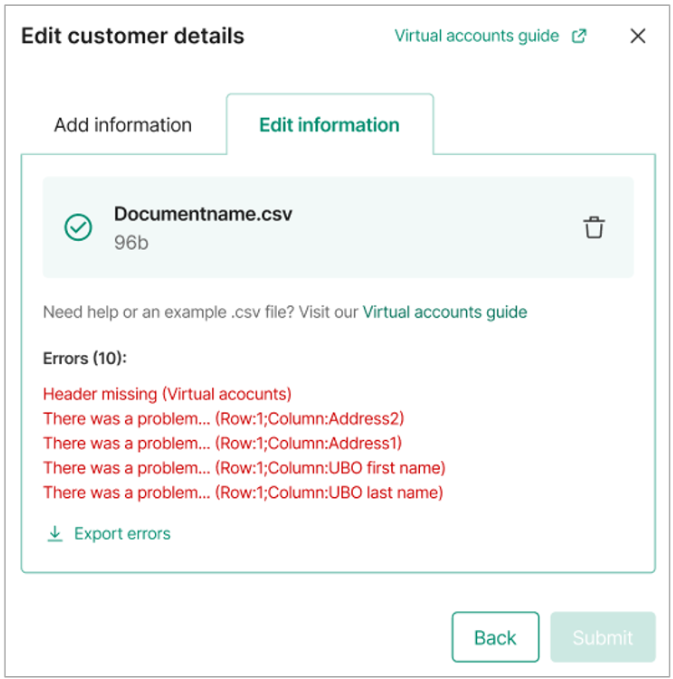
- Review validation results - after uploading the file, the system validates the content.
- If errors are found, they are listed, showing the row and column where the issue occurred.
- You can export the error list to review and correct the file.
- You must fix all errors before you can submit the update.
- Submit changes - once the file passes validation, click Submit.
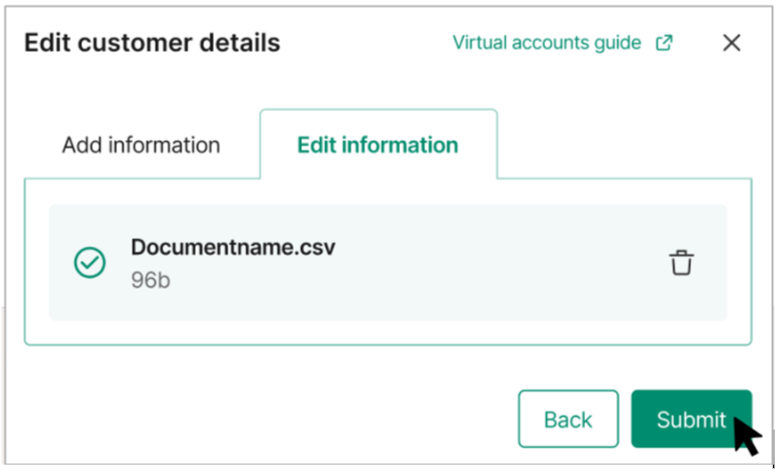
- The changes are processed in bulk.
- Confirmation - when the update is successful, you will see a confirmation message stating that the information has been updated.
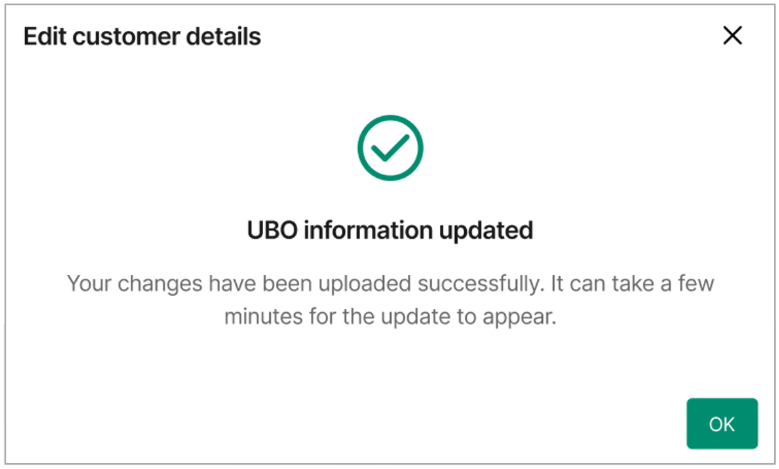
The changes may take a few minutes to appear in the Client Portal.
Important notes
- All required fields must be completed in the CSV file
- Each modification must include a valid reason code
- Incomplete or invalid files cannot be submitted
- The annual modification limit applies even when changes are submitted in a single file
Rate and volume limits
The following limits apply:
- Request limit of maximum 100 modifications per request
- Processing limit of up to 2000 modifications per 10min
Which characters are allowed in the .csv file?
a b c d e f g h i j k l m n o p q r s t u v w x y z
A B C D E F G H I J K L M N O P Q R S T U V W X Y Z
0 1 2 3 4 5 6 7 8 9
/ - ? : ( ) . '
Space (except leading spaces)
Character limits
The customer detail properties for name and beneficialOwners accept up to 35 characters.
The address properties have varying limits, which are shown in the table below.
| Property | Character limit |
|---|---|
| address.department | 70 characters |
| address.subDepartment | 70 characters |
| address.streetName | 70 characters |
| address.buildingNumber | 16 characters |
| address.buildingName | 35 characters |
| address.floor | 70 characters |
| address.postBox | 16 characters |
| address.room | 70 characters |
| address.postCode | 16 characters |
| address.townName | 35 characters |
| address.townLocationName | 35 characters |
| address.districtName | 35 characters |
| address.countrySubDivision | 35 characters |
| address.country | 2 characters |