
Request for information RFI
An RFI Case (Request for Information) is raised by Banking Circle when information is required from you. Information can be requested for several reasons based on the type of RFI.
This applies to both incoming and outgoing transactions. The subject on an RFI is the individual or company in question. i.e. if subject is an individual the questions being asked is in context of that individual.
An RFI Case always requires an action from you and remains "Open" until the required information is submitted or the deadline has passed.
Note: Failure to respond may result in transaction delays, rejections, or account restrictions depending on the RFI type.
Users must actively check the Client Portal for RFIs. Notifications are shown in the Dashboard and Messages area, but payments will not progress until action is taken.
Required access and permissions
To view and respond to RFIs, users must have the Case Management role assigned to their profile.
If you do not see RFIs in the Dashboard or Messages section, contact your internal User Administrator to update your permissions in the Client Portal.
Where to find RFIs
- Go to the left navigation bar on the Client Portal.
- Click on Dashboard.
- You will see a count of payments that require information.
- Selecting an RFI from the Dashboard or selecting the View all messages option opens the Messages screen, an inbox style screen where all RFIs are listed in date order.
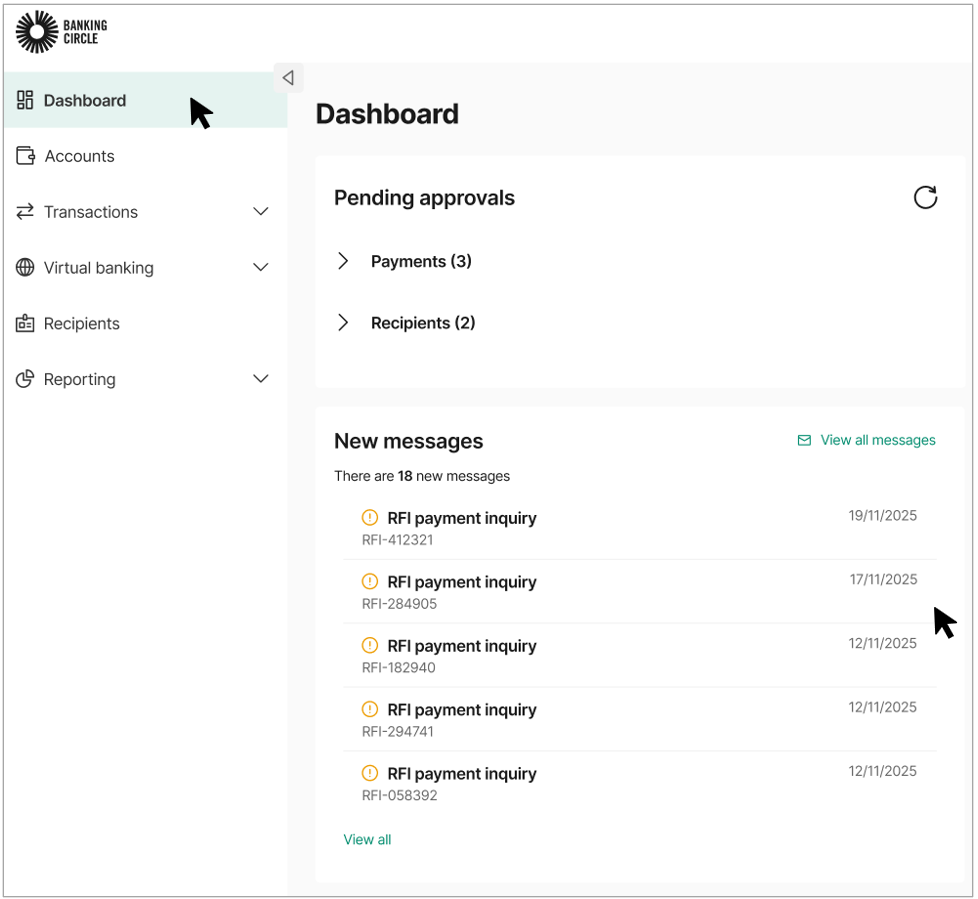
Dashboard view
- Selecting a message opens the full RFI details allowing you to fill out the requested information.
- Example message below, information displayed will vary depending on the payment
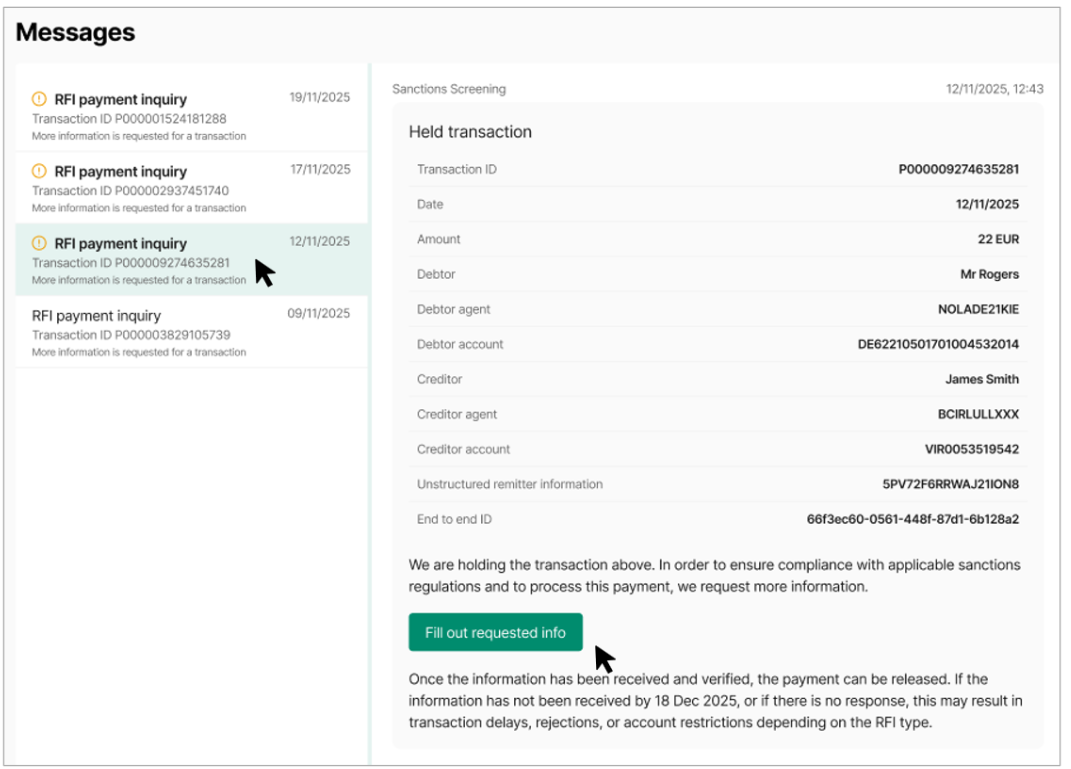
RFI inbox-like view
Responding to an RFI
To proceed with the payment, select Fill out requested info. You will be asked how you want to handle the RFI:
- Answer questions to process payment – provide an answer to all the questions and required documentation.
- Reject this payment - You indicate to us that you want the payment in question rejected. No answers needed.
Select Next to continue.
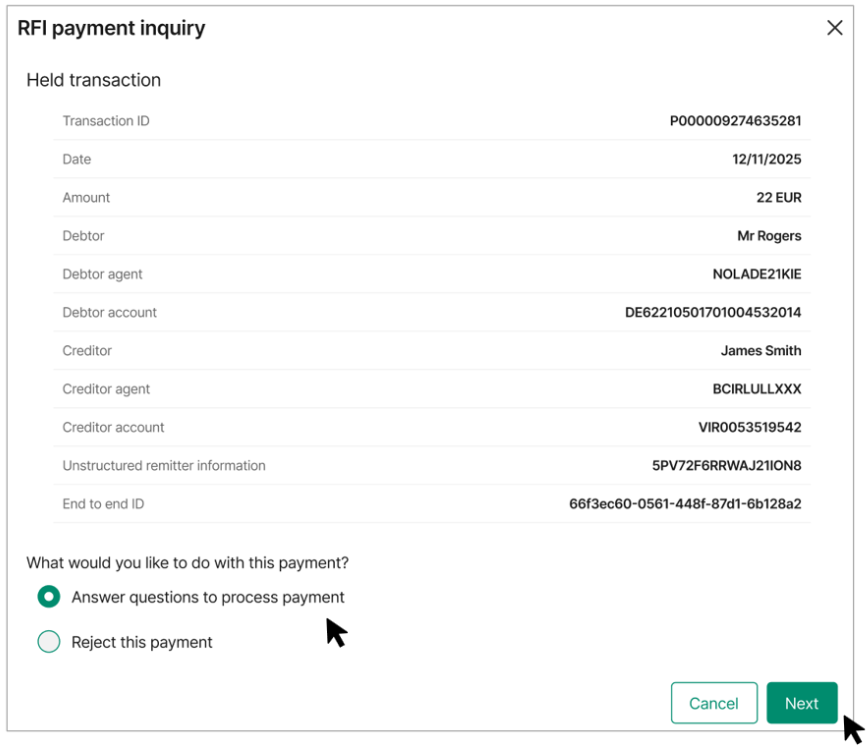
Responding to an RFI
Providing information
All fields are mandatory, and you must provide all requested information and documentation in one submission.
The questions shown and the amount of information requested depend on the type of transaction and are displayed dynamically. The screenshot below is for illustrative purposes only.
If any information is missing or unclear, the payment may be rejected or another RFI may be raised, which will delay processing.
If you are unable to provide specific information or upload required documents, you must confirm this by selecting the relevant tick box in the form. This confirmation is also mandatory.
Note:
- Partial responses are not accepted
- You cannot save and return later
- Submitting incomplete information can result in payment rejection
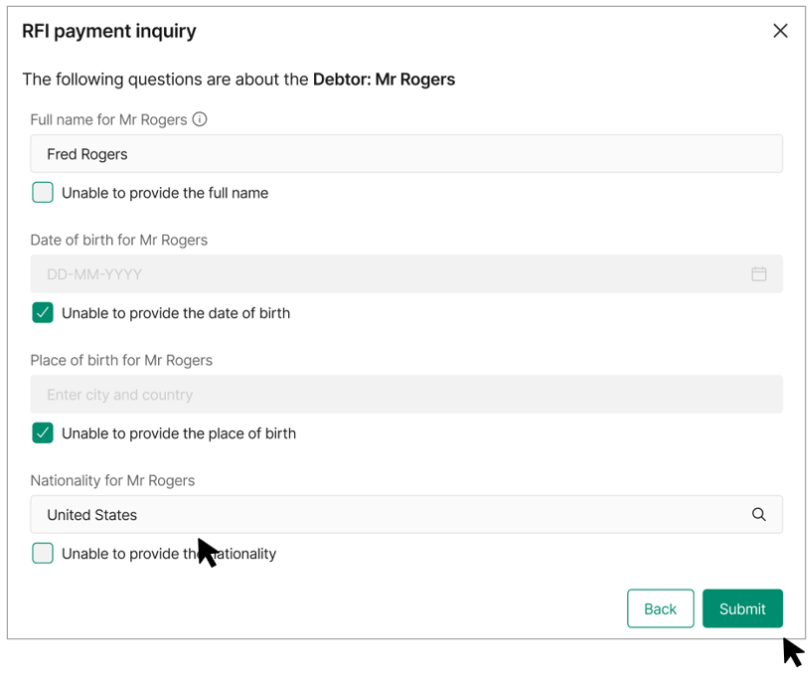
Providing information
After submission
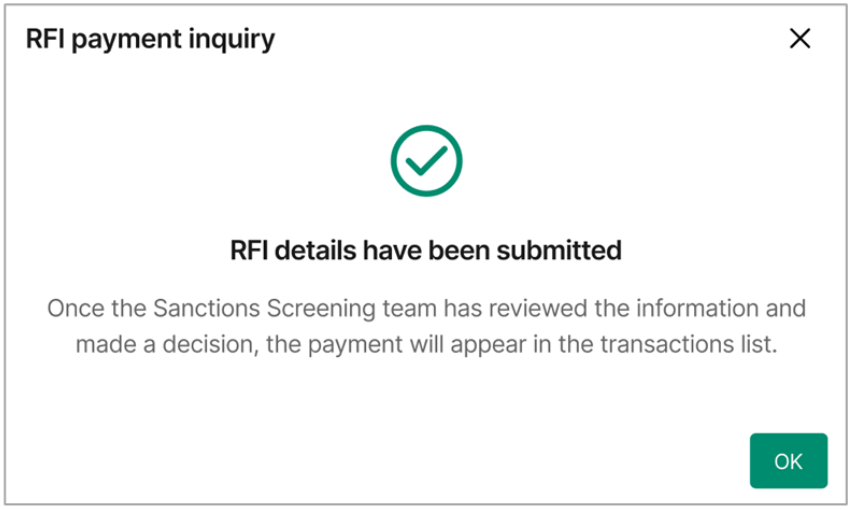
Once the information is submitted, the RFI status updates and the response is reviewed by Banking Circle.
If the information is sufficient, the payment can be released and it will be visible on your transactions list.
If the information is not sufficient or not received within the required timeframe, the payment may be rejected. Note: incoming payments that are rejected will not be shown in the transactions list.
Any further questions will be raised as a new RFI and will appear in your Messages list.
Users best practice
- Check the Dashboard daily for new RFIs
- Respond as soon as possible to avoid delays
- Ensure information is clear, accurate and complete before submitting
- Use the transaction details shown to validate your response
Updated 5 months ago