
Incoming recall requests
An Incoming Recall Request is received when the sending bank asks for a previously processed payment to be returned.
This typically happens when the sender believes the payment was made in error, for example due to incorrect payment details, wrong amount, or suspected fraud.
When a recall request is received, you must review the request and decide whether to accept or reject the recall.
Accepting the recall will return the funds to the sender. Rejecting the recall will keep the funds in your account.
Access and permissions
To view and respond to Incoming recalls, companies and Admin users must have the Case Management role assigned to their profile.
If you do not see Incoming recalls in the Dashboard or Messages section, contact your internal User Administrator to update your permissions in the Client Portal.
Where to find recall requests
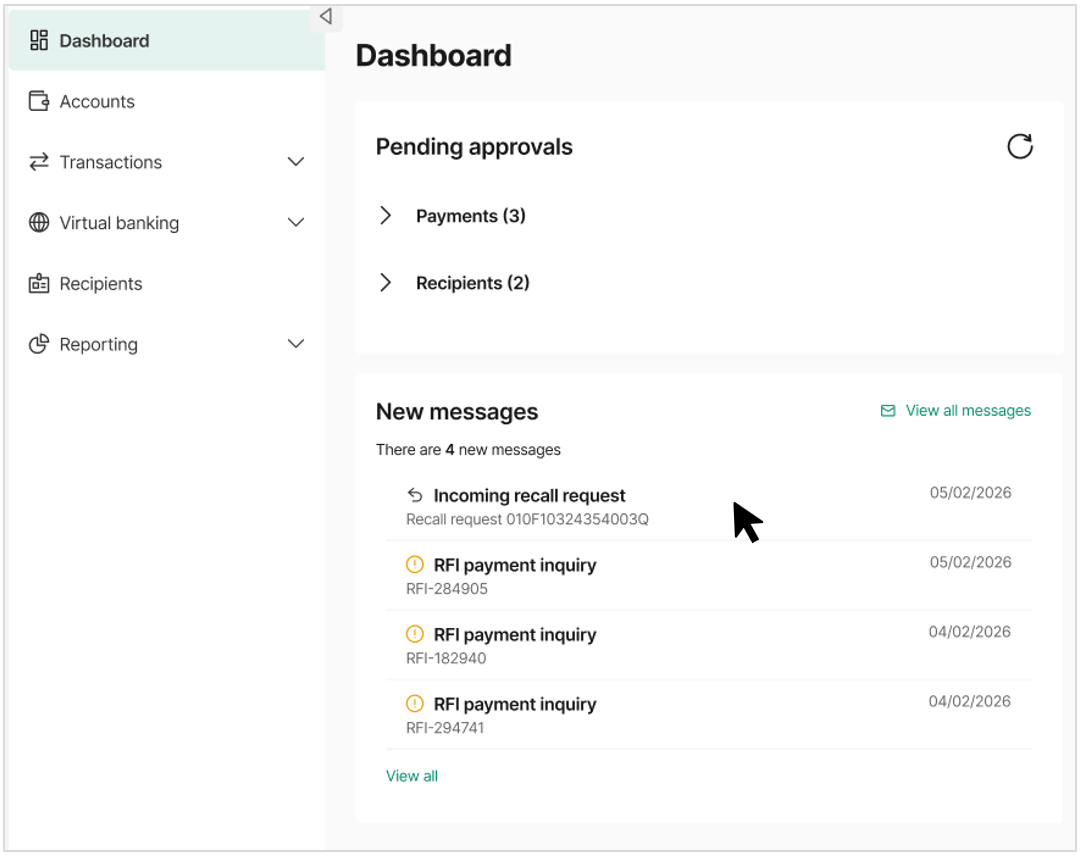
- When an incoming recall request is received, it will appear in the Client Portal Dashboard under New messages.
- Selecting the message will open the recall request in the Messages section.
- You can also access all recall requests by selecting View all messages from the Dashboard.
- This opens an inbox-style view where all messages and requests are listed in chronological order.
- Selecting the message will open the full details of the recall request.
Viewing and responding to a recall request
When you open a recall request, the Client Portal displays the details of the payment; you must review these details before deciding how to proceed.
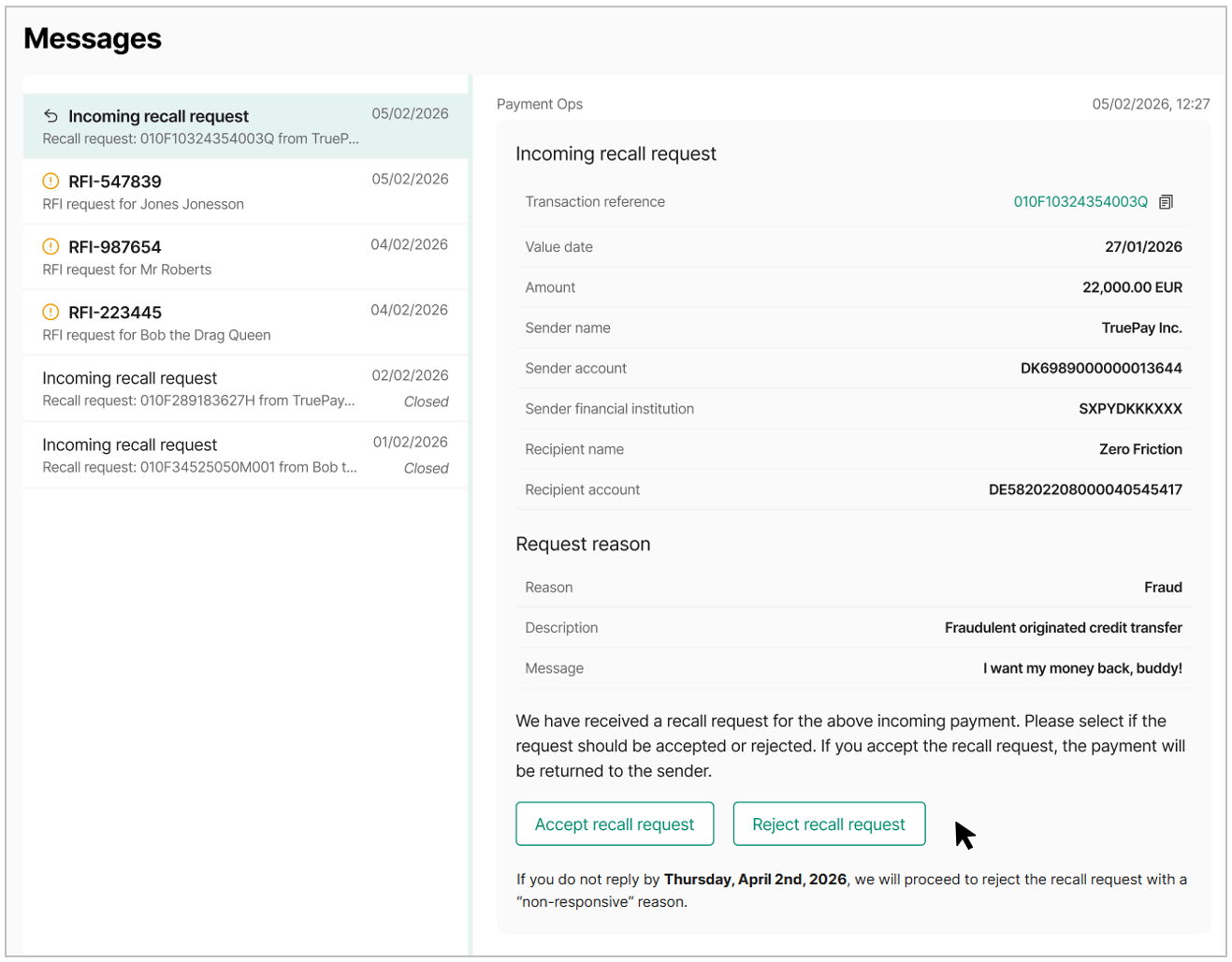
After reviewing the recall details, you must choose one of the following actions:
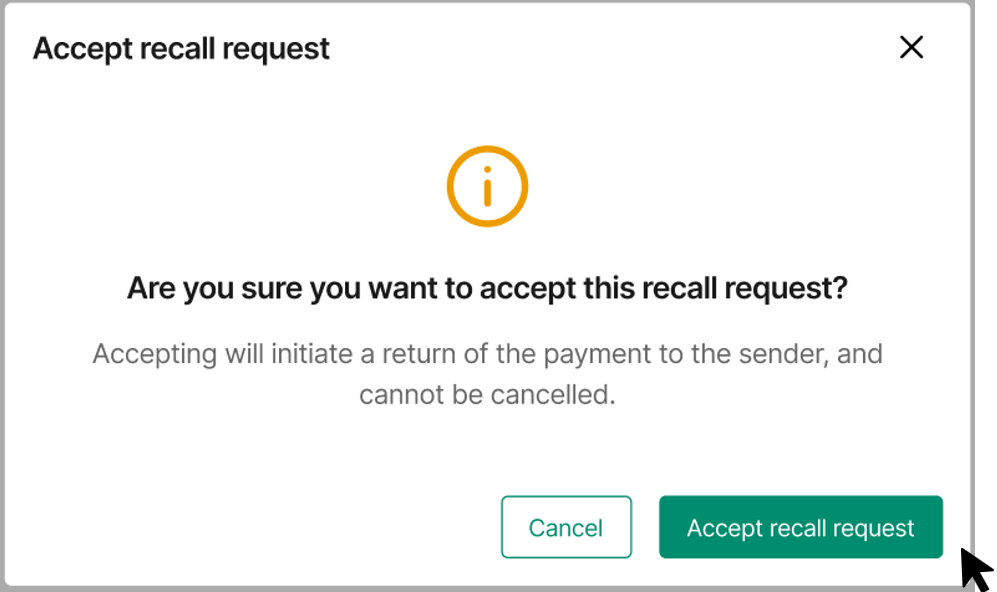
- Selecting Accept recall request confirms that you agree to return the payment to the creditor.
- You will be asked to confirm your decision before the recall is processed.
- An outgoing payment will appear on your transactions list once the recall is processed
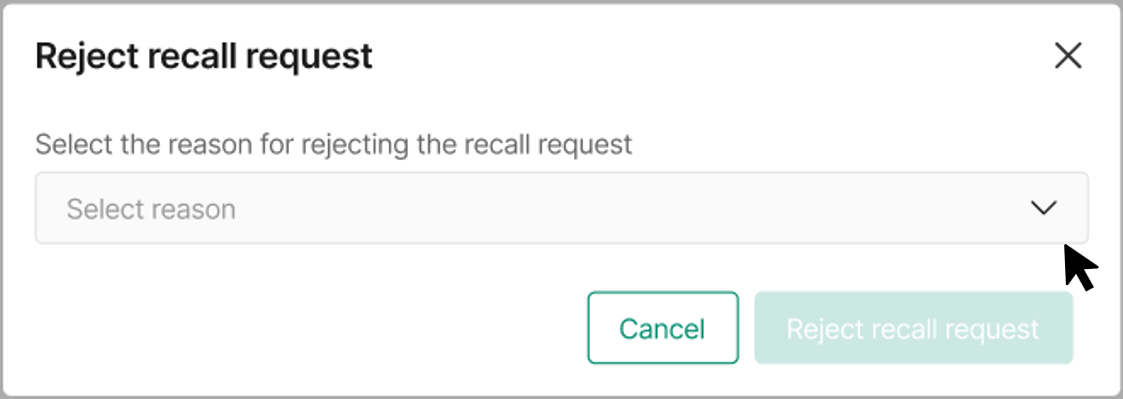
- Selecting Reject recall request allows you to decline the request.
- When rejecting a recall request, you must select a reason from the dropdown list.
Available rejection reasons include:
- Account is closed
- Funds have already been returned
- Funds are no longer available
- Request rejected by receiver
- Unable to obtain a response
Once submitted, the rejection is recorded and the funds remain in the debtor’s account.
Important information
- You must respond to recall requests within the timeframe shown in the message.
- If no response is received within the specified time, the request may automatically be rejected.
- Accepting a recall will initiate the return of funds and cannot be undone.
Best practice
- Review recall requests as soon as they appear in the Dashboard.
- Verify the payment details carefully before accepting or rejecting a recall.
- Confirm internally before returning funds, particularly for large transactions.