
Amount thresholds
Amount thresholds allow you to control the maximum value of payments that can be initiated for your company.
Previously, payments exceeding internal limits required manual validation, which caused delays. With amount thresholds, you can define your own limits and prevent payments from exceeding them, helping to keep processing smooth and predictable.
If a payment exceeds the configured threshold, it will not be processed.
What this means for you
You can now manage payment thresholds based on your organisation’s needs. This allows you to:
- Reduce delays caused by manual validation processes
- Keep payments flowing without unnecessary holds or interruptions
- Set, increase, or decrease thresholds at any time
- Apply thresholds at company level or across a company group
If no threshold is set, payments can be processed up to the maximum limit of 999,999,999 EUR.
Access and permissions
Only users with Admin permissions can configure and manage amount thresholds.
Regular users can view thresholds when instructing payments, but cannot modify them.
Viewing and managing thresholds
Thresholds are managed within the Companies section of the Client Portal.
Here, Admin users can:
- View the current threshold for each company
- Edit thresholds for individual companies
- Set thresholds across multiple companies
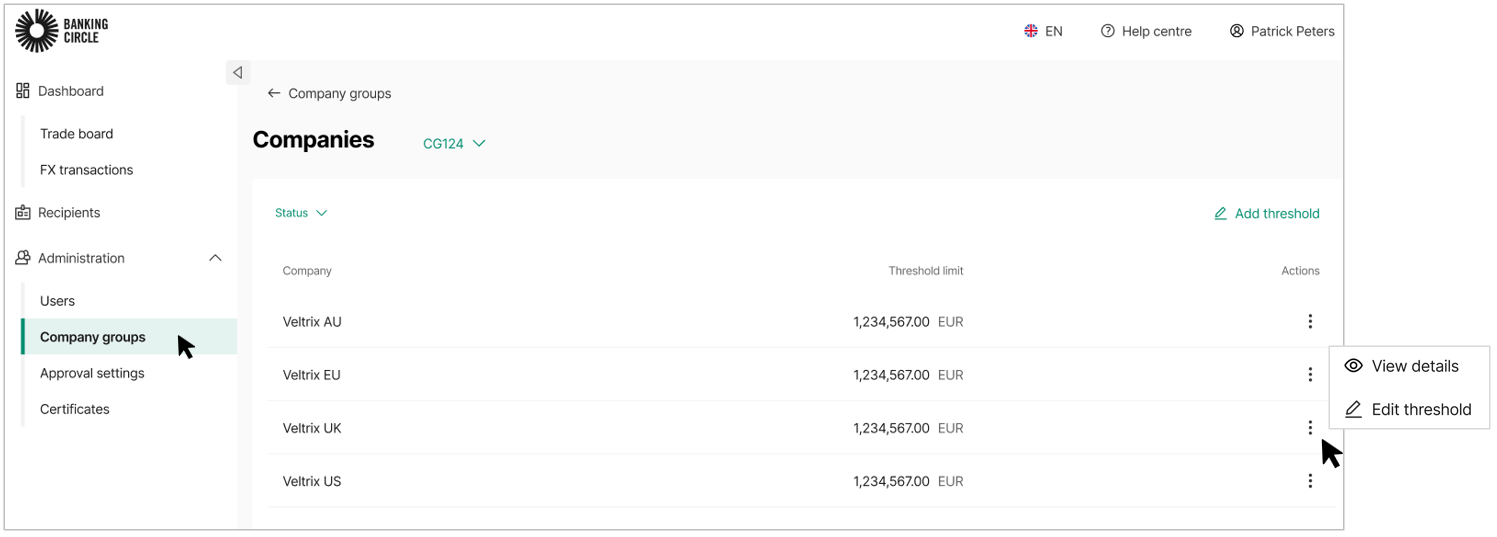
Editing a threshold for a single company
- Navigate to Companies from the main menu.
- Select the three-dots menu next to the company and click Edit threshold.
- Enter the new threshold amount. The currency is set automatically based on the branch base currency.
- Select Submit to apply the change. A confirmation message will be shown once the threshold has been updated.
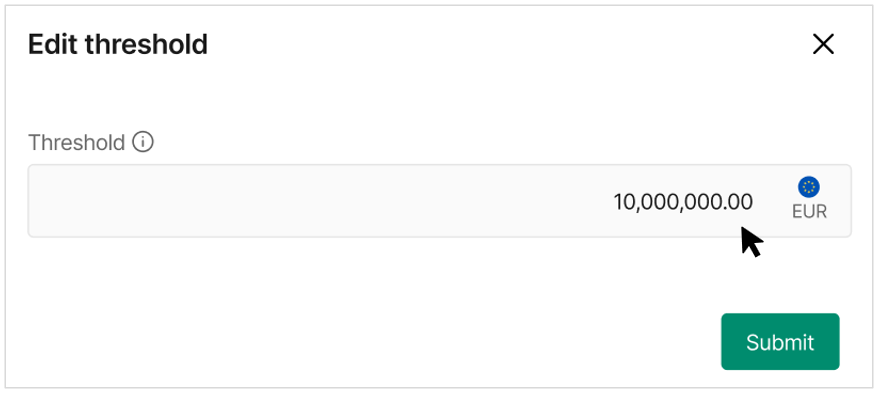
Editing thresholds for multiple companies
- From the Companies page, select +Add threshold (top right)
- Enter the threshold amount.
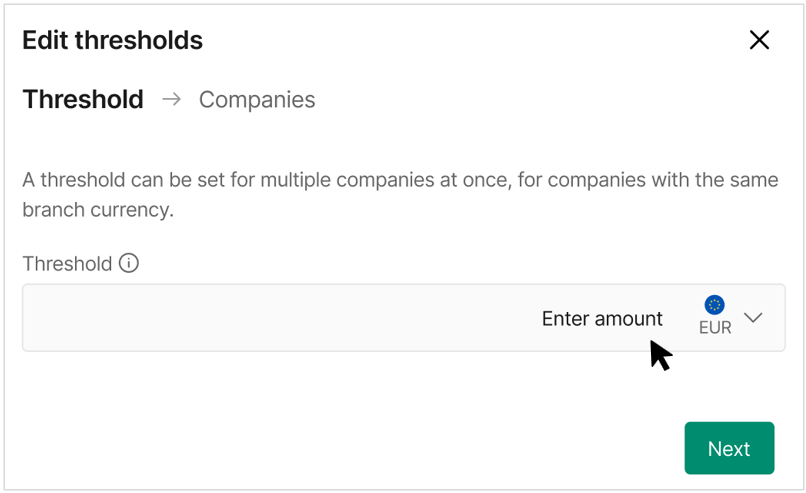
- Select Next to choose the companies.
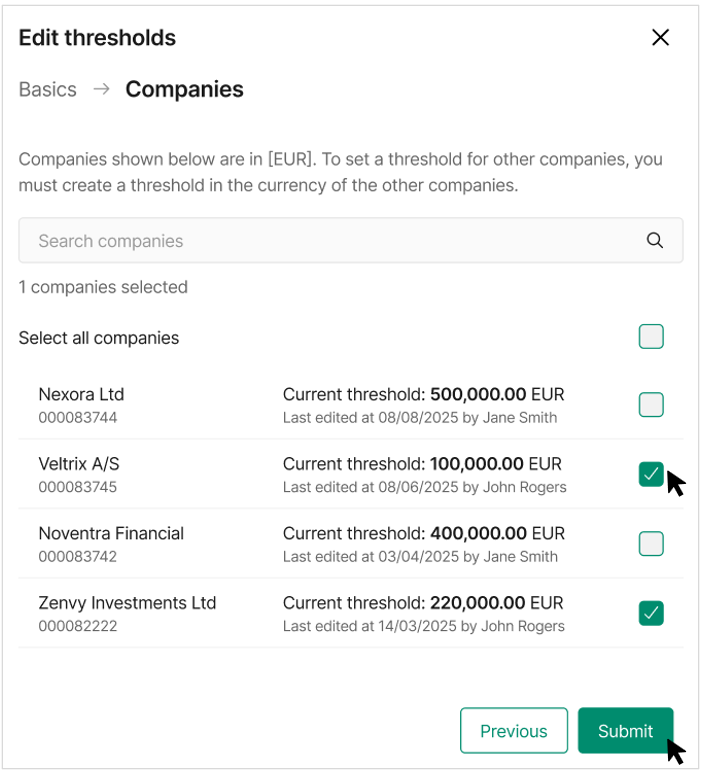
- Select one or more companies from the list. You can apply the same threshold to multiple companies at once, provided they share the same branch currency.
- You can easily see the current threshold and who last updated it.
- Select Submit to apply the changes.
Important information
- Only Admin users can configure threshold
- A default maximum threshold of 999,999,999 EUR is applied across all companies on release date
- If no threshold is configured, payments will be processed up to the maximum limit
- Threshold currency is based on the branch base currency
- Thresholds can be updated at any time
Impact on payments
Single payments
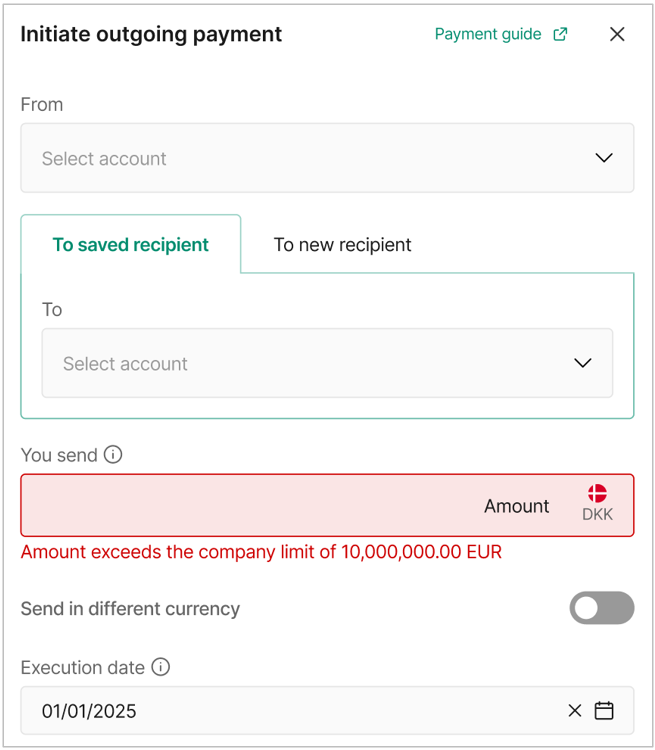
If a single payment exceeds the configured threshold:
- The payment cannot be initiated
- An error message is shown in the payment form
- If you need to make a payment that exceeds the threshold, an Admin user in your organization must first increase the threshold.
Bulk payments
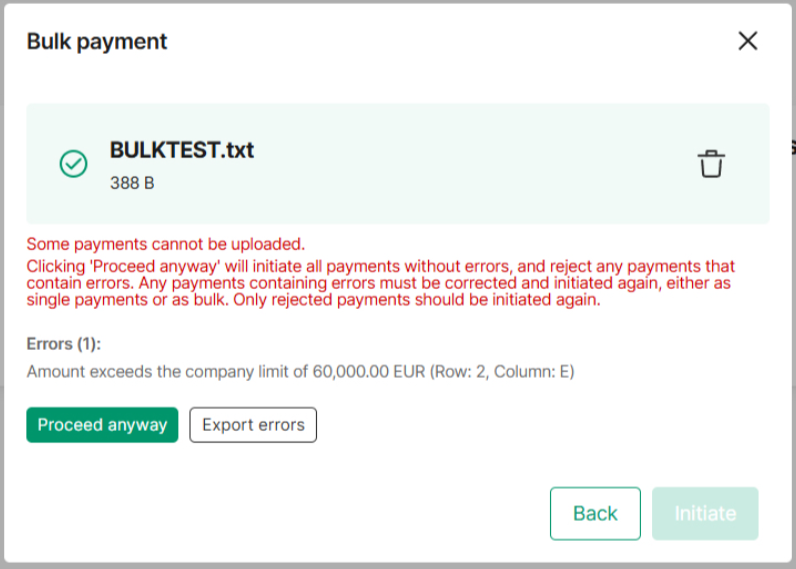
If one or more payments in a bulk file exceed the threshold:
- The file can be uploaded but payments exceeding the limit will be rejected and appear as rejected on the Transactions list
- The error will be “Amount exceeds the company limit of [amount]”
- If you need to make a payment(s) that exceeds the threshold, an Admin user in your organization must first increase the threshold.
Best practice
- Set thresholds that align with your internal approval limits
- Review thresholds regularly to ensure they reflect current business needs
- Use group thresholds where possible to maintain consistency across companies
- Check thresholds before initiating large or bulk payments